The How Did You Hear About Us feature allows studio owners to collect marketing attribution data directly from clients. When enabled, clients are prompted to indicate how they discovered your studio during onboarding.
This tool helps you track lead sources such as social media, Google search, referrals, and other marketing efforts.
Enabling the Feature
To enable the feature:
Navigate to Menu
Select Company
Click App Settings
Select How Did You Hear About Us
Check the box to enable the feature
Click Save
Once enabled, clients will begin receiving the prompt during onboarding.
Adding and Managing Predefined Options
You can create custom response options for clients to choose from.
To add an option:
Click Add Option
Enter the desired response (e.g., Instagram, Facebook, Google, Friend Referral)
Click Save
You may add multiple predefined options.
To reorder options:
Click and drag the reorder icon next to an option to adjust its position in the list.
To remove an option:
Click the X next to the option.
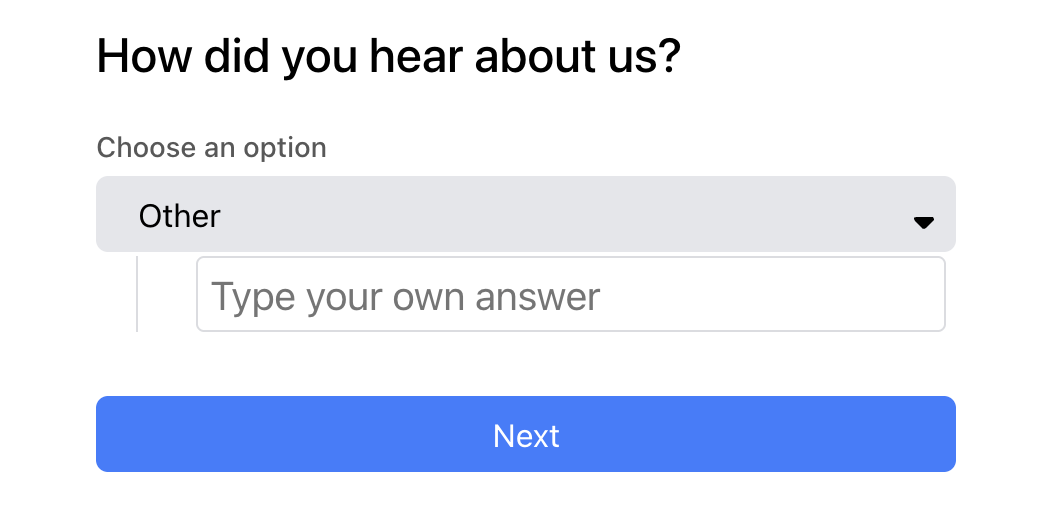
Note: Clients will always have an “Other” option available, allowing them to manually enter a custom response.
When Clients Are Prompted
Clients are prompted to answer “How did you hear about us?” only:
During account creation, or
Upon their first interaction with your fitSpot
They will not be prompted again after submitting a response.
Viewing Client Responses
All responses are stored in reporting.
To access them:
Navigate to Menu
Select Reports
Click Clients
Choose How Did You Hear About Us
From this report, you can:
View all submitted responses
Filter by date range
Export results for external analysis
Use Case
This feature is designed to help studios:
Track marketing effectiveness
Identify top referral sources
Evaluate advertising channels
Make informed business decisions based on real client data
If you need assistance configuring this feature, please contact support.
Was this article helpful?
That’s Great!
Thank you for your feedback
Sorry! We couldn't be helpful
Thank you for your feedback
Feedback sent
We appreciate your effort and will try to fix the article